


A shot description an animator won't send back with questions contains five things: the subject on screen, the action that changes during the shot, the framing, the motion and its pace, and a mood reference. Miss one and you get a clarifying email. Miss three and you get a revision round.
The fix for a slow animation timeline is almost never a longer brief. It's whether each shot tells the team what to draw, what moves, and how it should feel, with no interpretation left to them. From the post-production side of the table, nearly every revision round we sit through traces back to a single shot description that asked us to interpret intent rather than execute it. This guide breaks down the five ingredients, shows before-and-after rewrites, and walks through a real animated brief you can copy.
It usually plays out the same way. The brief lands on the animator's desk; they read it once, read it again, and within 48 hours you're answering five emails about a single 8-second scene. Is the character standing or sitting? What's behind them? Does the chart appear instantly or animate in? How fast? Each question is small. Together they cost you a week of timeline, and a second version of a shot you thought was finished.
Why do animators ask so many questions?
Because animation is interpretive, and a vague shot leaves the interpreting to them. When the brief says "a happy customer using the product," the animator has to decide everything you didn't:
- What does the customer look like? Age, style, setting?
- How are they framed? Wide shot, close-up, over-the-shoulder?
- What is the product doing? Sitting on a desk, in their hand, on a screen?
- What's "happy"? Smiling, laughing, satisfied nod, fist pump?
- Is there motion? Static pose, walking, scrolling, typing?
They'll pick something defensible. It probably won't be what you pictured. Then you'll request changes, they'll bill for revisions, and the timeline stretches another week. That's the real cost of an interpretive brief: not the original shot, but the second one you have to commission to fix the first.
And it isn't a small or personal problem. The gap between how clear marketers think their briefs are and how clear they actually land is one of the best-documented disconnects in the industry.
What does a brief-able shot description include?
Every shot description that doesn't bounce back contains five things. Miss one and you'll get a question. Miss three and you'll get a revision round.
1. Subject: who or what is on screen
"A person."
"A 30-something woman in business-casual, seated at a laptop."
Be specific about the entity. If the subject is "the dashboard," it's "the analytics dashboard with three KPI cards visible." If the subject has appeared in a prior shot, reference the shot number so the team keeps continuity.
2. Action: what changes during the shot
"She uses her phone."
"She glances at her phone, frowns, then taps the screen."
A shot is a unit of time, not a static image. Tell us what happens between second 0 and second N. The first version above is a topic; the second is a sequence we can actually animate.
3. Framing: how the camera sees it
"Show the laptop and her hands."
"Medium shot. Laptop fills the right two-thirds of frame; her hands are visible at the bottom edge."
Use standard shot terms: wide, medium, close-up, over-the-shoulder, top-down, POV. If you're unsure of the term, describe what fills the frame and we'll work backward from there.
4. Motion: how things move and at what pace
"She approaches the camera and smiles."
"Slow push-in toward her face. She holds the smile for half a beat, then we cut. ~3 seconds total."
This is the ingredient marketers skip most often. Specify camera motion (push-in, pan left, static), object motion (chart bars rise from zero, icons cascade in), and pace (snappy, slow build, beat-then-reveal). Pace is the difference between fun and energetic and calm and trustworthy, and it's invisible until you see the finished animation.
5. Reference or mood: the look you're picturing
"Make it modern."
"Warm and slightly playful, in the spirit of Notion's onboarding videos. Reference: 0:14–0:22 of this clip."
One mood adjective plus one concrete reference (a video timestamp range, a still, even an emoji set) saves more revision time than any other single thing you can add. Animators are visual thinkers. Show, don't only tell.
There's a balance here worth naming: specify the intent and the constraints, but don't try to art-direct every pixel. The best briefs hand over the what and the feel, then trust the studio with the how.
"Let your words lead the visuals, rather than defining them." — David G. Stone, Creative Director, MOWE Studio
So the five ingredients aren't a demand for more words. A reference and a mood adjective replace three paragraphs of nervous over-description. They pin down what you actually care about and leave the animator room to do what they're good at.
What does a good shot description look like next to a bad one?
Here's the same shot, written two ways. Both are real patterns we see in briefs.
"Show the user setting up the integration. Make it feel easy."
"Medium shot of the integrations page. Cursor clicks 'Connect Slack' button (top right). Modal slides up; user clicks 'Authorize.' Modal closes and a green check appears next to the Slack row. Snappy pace, ~4 seconds total. Mood: confident, frictionless."
What does an animation brief look like end to end?
To make this concrete, here's a real prompt you can paste into PlanThatVideo (a fully animated explainer), and the scenes from the brief it produced. Watch how the five ingredients show up in every shot.
Here's how scenes from the resulting shot list read. Each shot has a number, framing, duration, a motion note, an action description, and a notes line. In animation the motion field does the heavy lifting: eases, overshoots, and timing are the whole craft, so the brief names them instead of leaving them to chance.
Notice what's not in there: vague adjectives, brand backstory, "we want this to feel premium." Those belong in the creative brief at the top of the doc. The shot list is for shots.
What should the storyboard add?
Once each shot is described this way, the storyboard is just the visual sketch of those descriptions. Whether you send AI-generated frames like these, wireframe panels, or hand sketches, each panel maps 1:1 to a shot, and confirms composition, not motion.
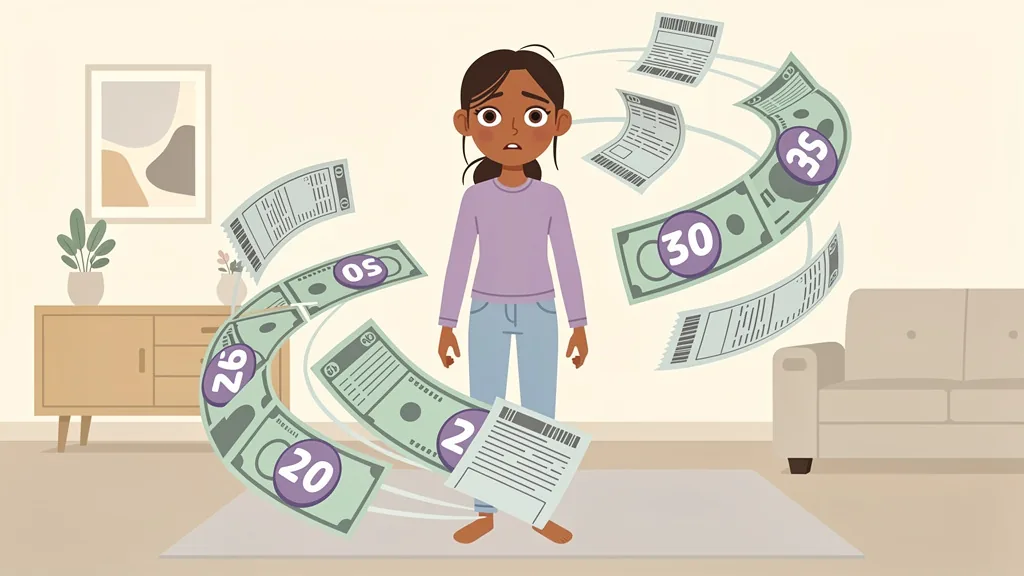
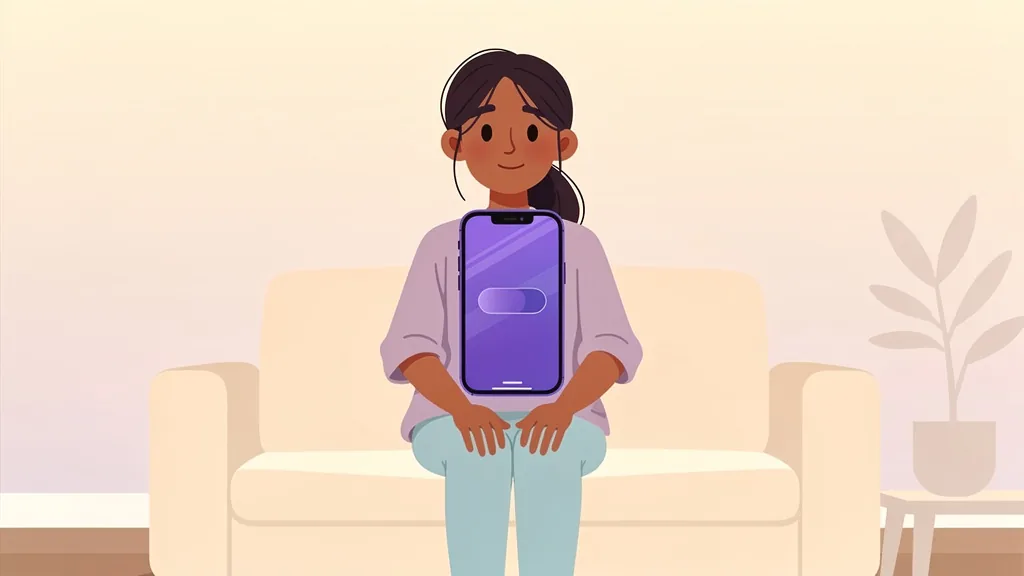



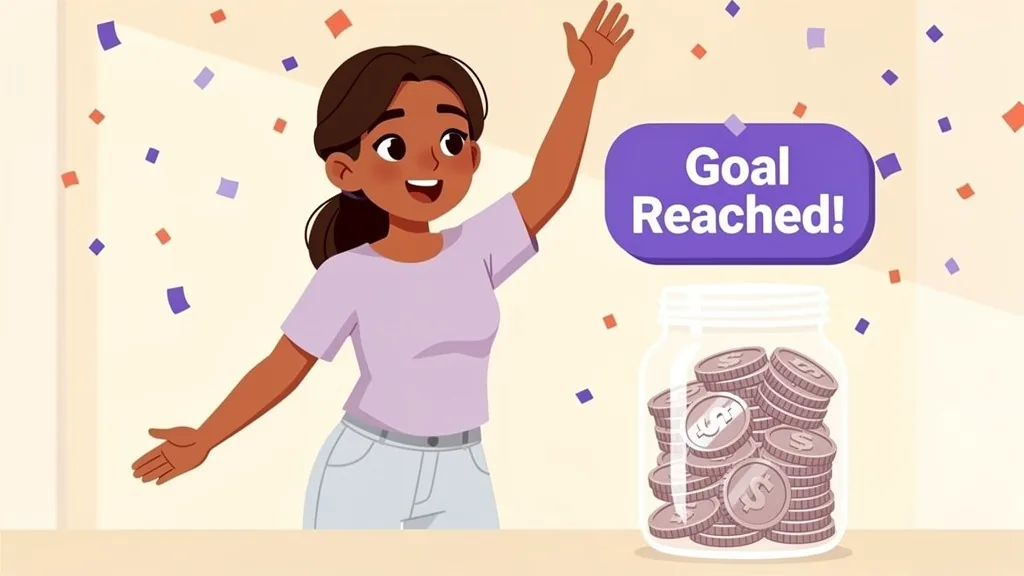
If the panel and the description disagree, the description wins. We script the motion from the words. The panel is there to confirm what's in frame, not how it moves.
What are the most common shot-description mistakes?
Pitfall 1: Describing the goal, not the shot
"Show that we're trustworthy" is a brief-level goal, not a shot. Translate it into something visible: a customer logo wall, a security badge close-up, a calm establishing shot of a real office.
Pitfall 2: Skipping the duration
Every shot needs a target length, even if it's approximate. "~3s" tells the animator how much motion to fit. Without it, you'll get either a rushed micro-shot or a 12-second meditation.
Pitfall 3: Mixing voiceover with shot direction
Keep VO in its own column or block. When animators have to parse "she smiles (VO: 'and that's how it works') as the chart appears" they miss half of it. Shot description and script are siblings, not nested.
Pitfall 4: Vague references
"Make it modern" or "Apple-style" are unfalsifiable. Link a 10-second clip with a timestamp range. "0:14 to 0:22 of this Notion ad" is something an animator can match.
Pitfall 5: Locking the script before the shots exist
Approving voiceover copy first is the most expensive mistake. The script's word count sets the shot's duration, which sets what's drawable. Write shots and script in parallel, lock them together.
What's a reusable shot-description template?
Copy and paste this into your next brief. Fill in every field. If you can't fill one, that's the question your team is going to ask anyway, so better to answer it now than in three days, after they've already drawn the wrong version.
Six lines. Every line answers a question your team would otherwise email you about.
The deeper point
The teams executing your video aren't psychic, and they shouldn't have to be. The work of specifying a shot is the marketer's job, not theirs. When that work happens upfront, you get faster turnarounds, fewer revision cycles, and a creative team that's free to spend their time on craft instead of clarification.
The side effect is even better: your stakeholder reviews start going better too. When the brief is unambiguous, the only feedback you'll get back is "do this differently", not "wait, what is this?"
FAQ
How detailed should a shot description for an animator be?
Detailed enough that the shot could only be drawn one way, but no more. Specify the subject, the action, the framing, the motion and pace, and a mood reference, then stop. Pin down what you care about and leave the execution to the studio. If a description could fit ten different drawings, it's too vague; if it's dictating individual keyframes, it's too much.
What's the difference between a shot description and a script?
The script is what's said or narrated; the shot description is what's seen and how it moves. They're siblings, not nested. Keep voiceover in its own block rather than buried inside shot direction, and write the two in parallel so the script's word count matches what's actually drawable in the shot's runtime.
Do I need to know camera terms to brief an animator?
No. Standard terms (wide, medium, close-up, over-the-shoulder, push-in) help, but if you're unsure, just describe what fills the frame and the animator will work backward to the right term. Describing the intent clearly matters more than naming it correctly.
Should I send visual references even if I'm not a designer?
Yes. References are the single highest-leverage thing you can add. A 10-second clip with a timestamp range, a still, or even an emoji set communicates mood faster than a paragraph of adjectives. References don't constrain the animator; they give them a starting point instead of a blank canvas, which tends to mean fewer revision rounds.
How long should an animation brief be?
Length isn't the metric. Clarity is. A tight one-page brief with a clear shot list beats a ten-page document full of vague adjectives. Aim to answer every question the animator would otherwise email you about, then stop.
Don't write the shot list. Generate it.
PlanThatVideo turns a one-paragraph video idea into the shot list above: framing, duration, action, notes, and a storyboard panel for every shot. Edit, export, send.
Try it free →